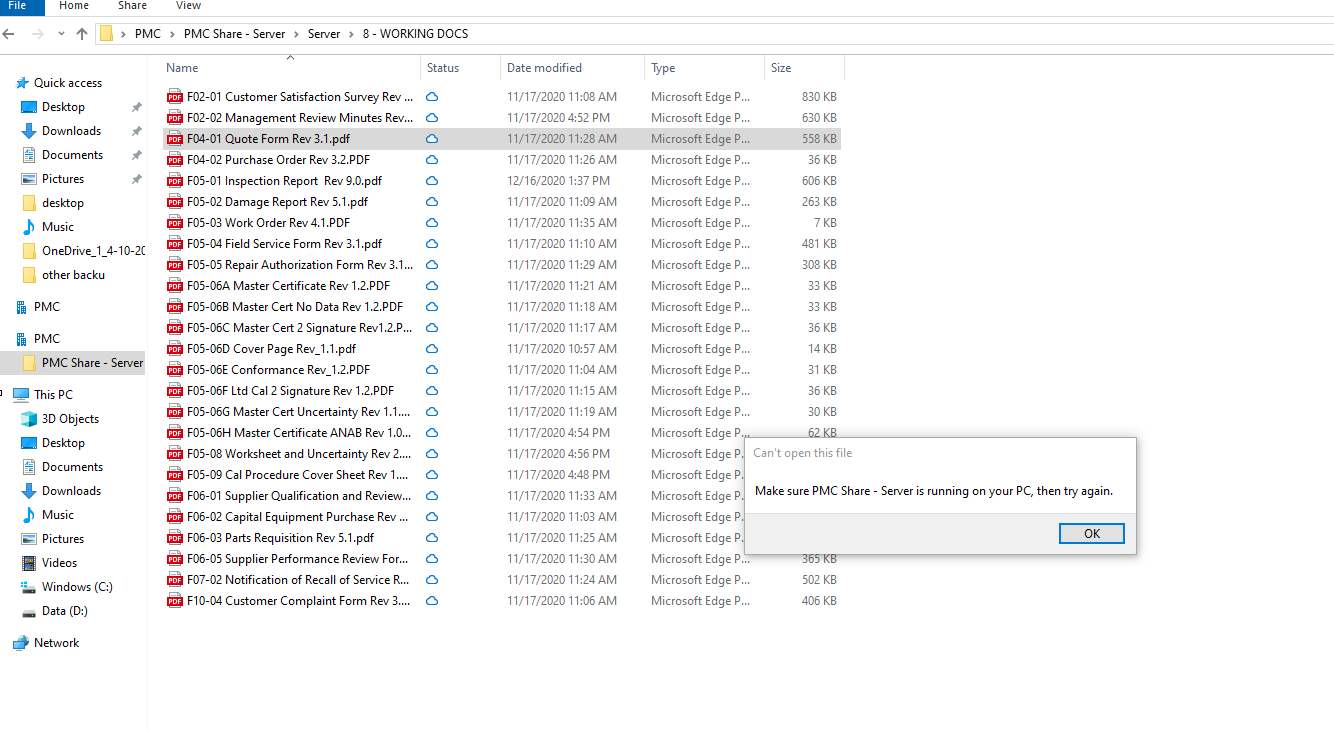
- If you are ever unable to download files / edit files / disconnected, or don't have it on your current computer like shown in the picture do the following
- Case 1
- Go to the below link
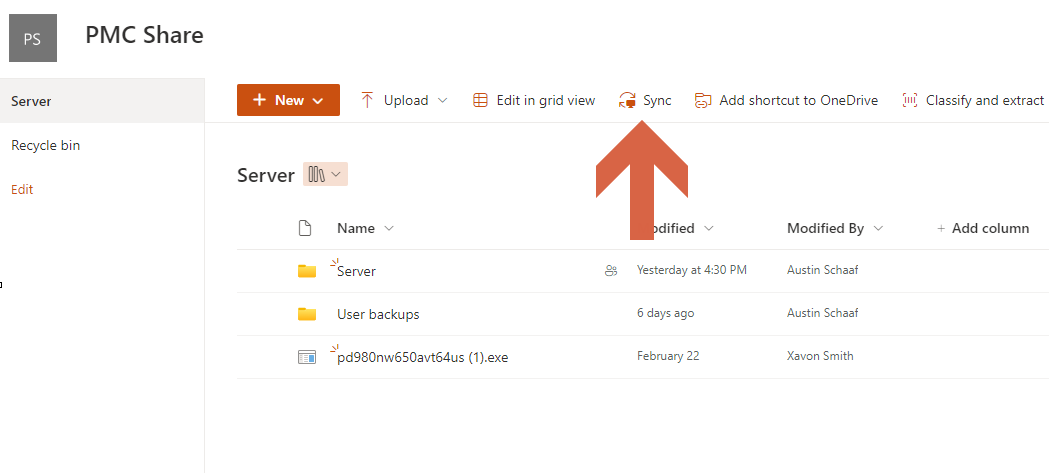
- https://pmctemp.sharepoint.com/sites/PMCShare/Shared%20Documents/Forms/AllItems.aspx
- Select Sync
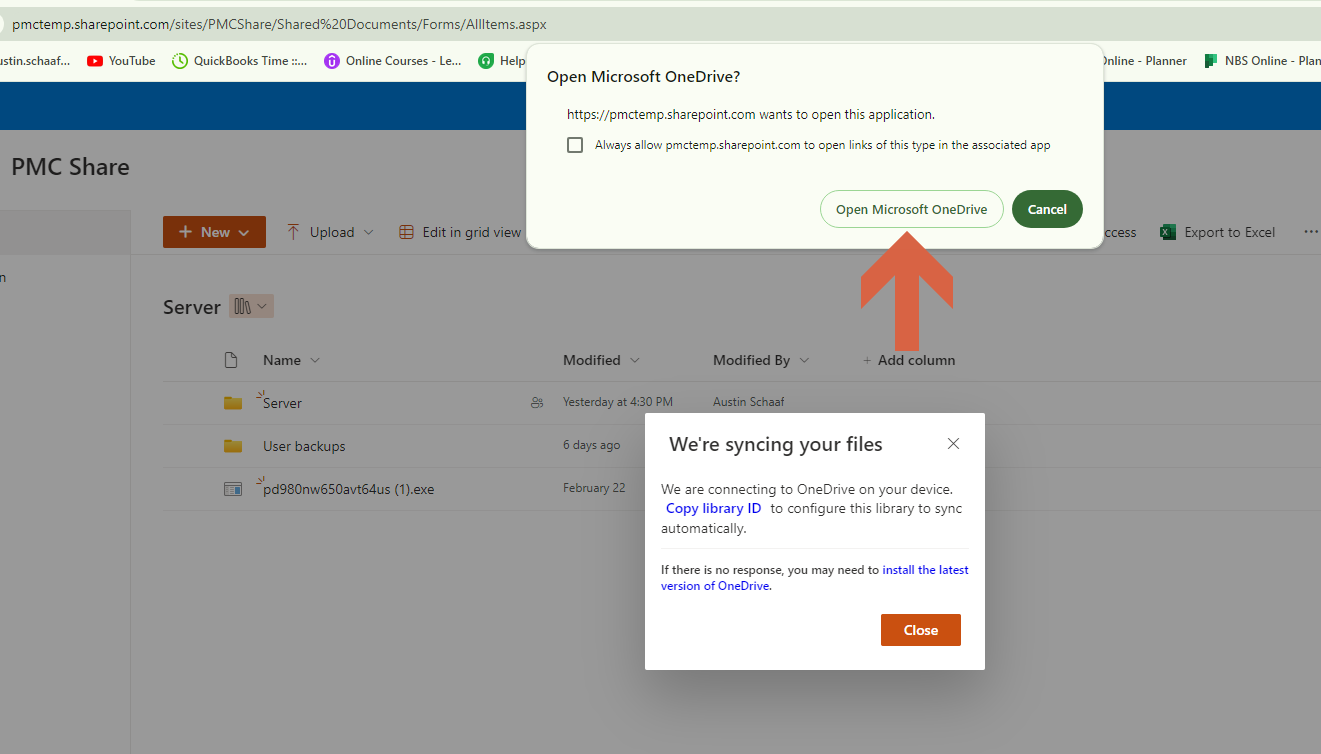
- Open Microsoft OneDrive
- Follow sign in prompts
- Case 2
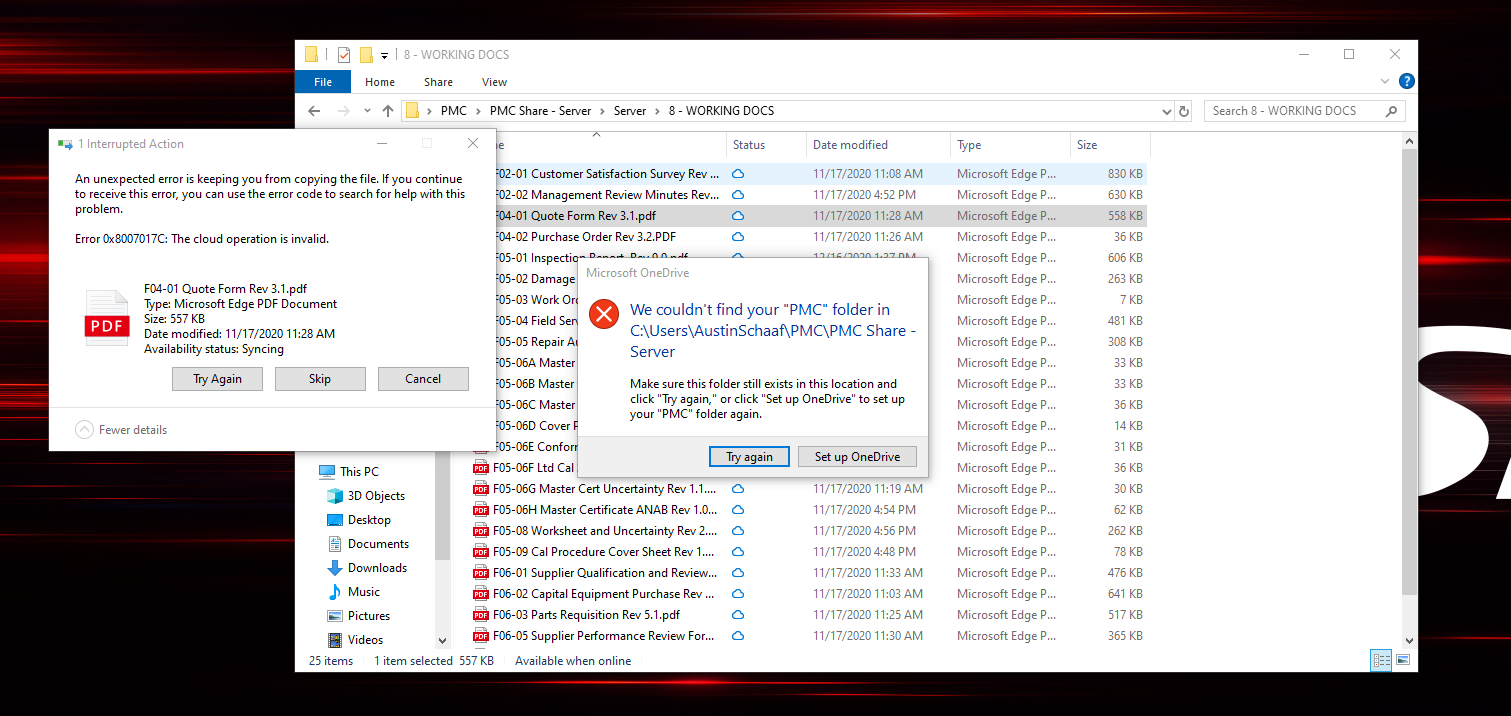
- Select set up OneDrive
- Case 3
- Sharepoint unable to download files with a error saying "the cloud operation is invalid sharepoint"
- Right click the cloud icon in the system menu on the bottom right of screen.
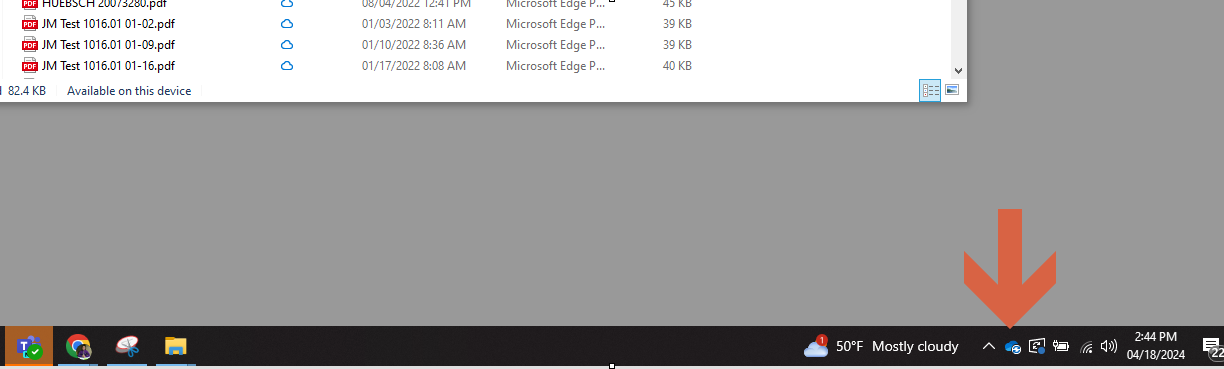
- If the cloud icon is missing click the "^" Icon
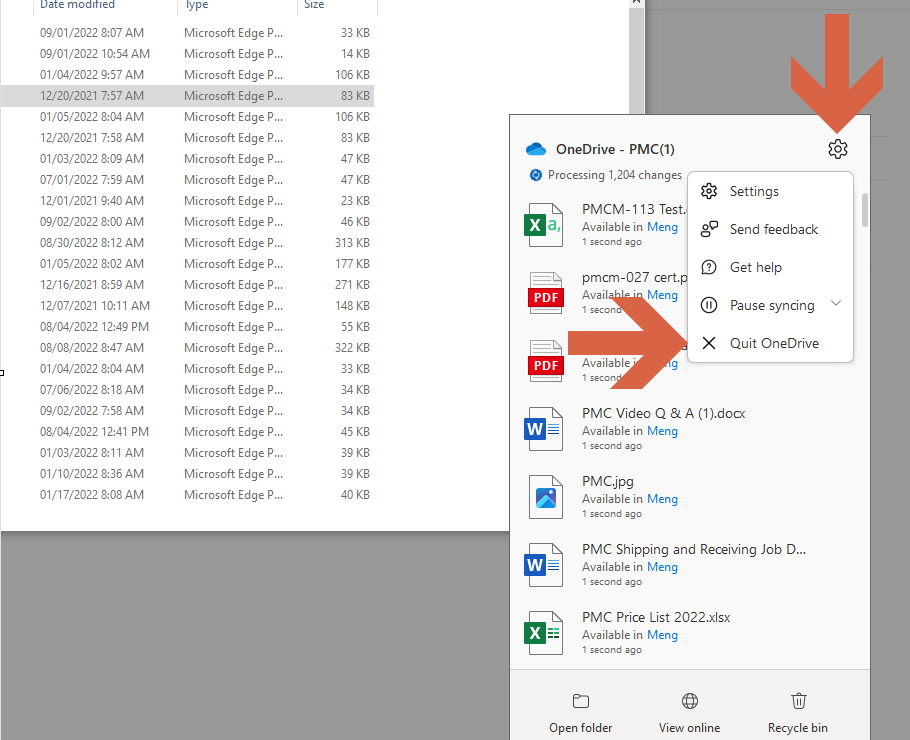
- Select Settings then quite One Drive, then close one drive
- Go to the below link
- https://pmctemp.sharepoint.com/sites/PMCShare/Shared%20Documents/Forms/AllItems.aspx
- Select Sync
- Open Microsoft OneDrive
- Follow sign in prompts
- It might take a little while for the files to sync depending on internet connection
Was this article helpful?
That’s Great!
Thank you for your feedback
Sorry! We couldn't be helpful
Thank you for your feedback
Feedback sent
We appreciate your effort and will try to fix the article