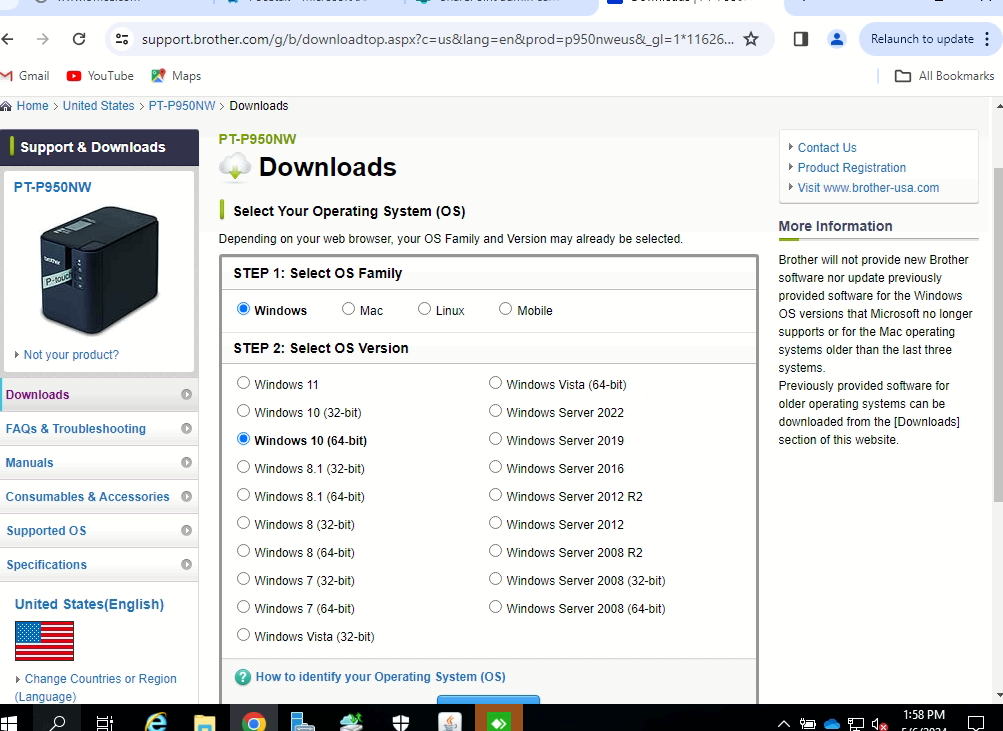
- Go to this link
- Select the OS that you are using with 64 bit.
 Hit OK
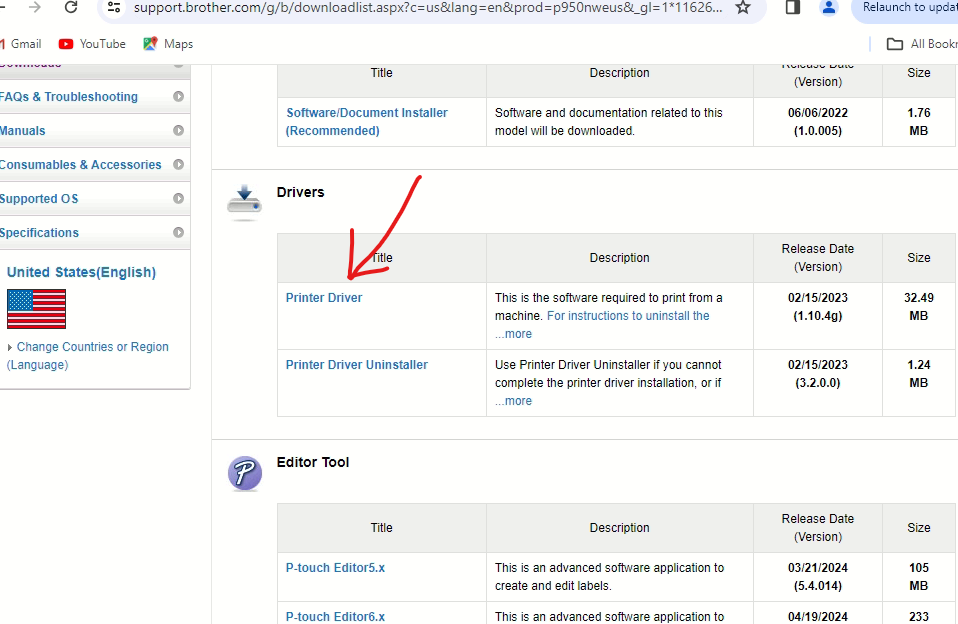
- Select printer driver
 Select Agree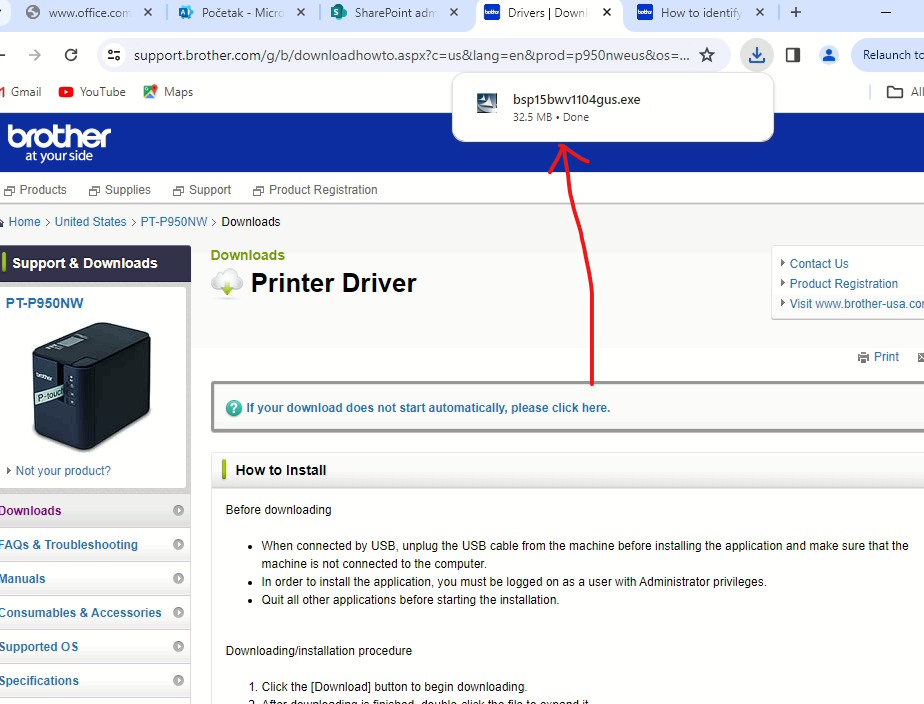
- Select this exe
- Hit agree
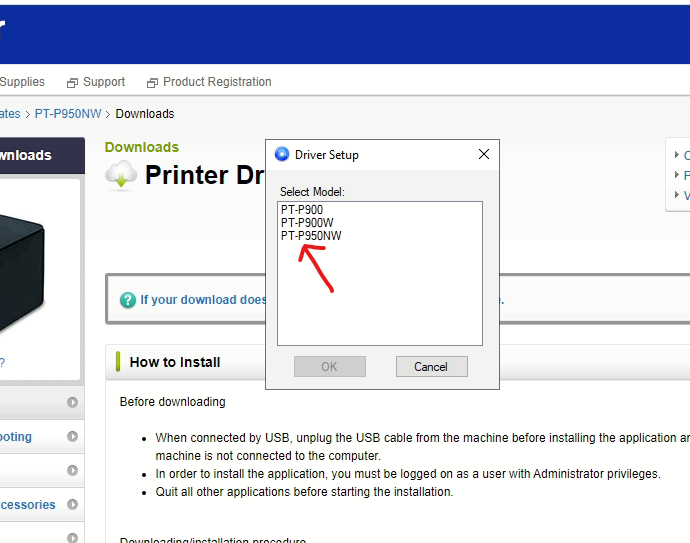
- Select PT-P950NW then OK
 Select Wireless network connection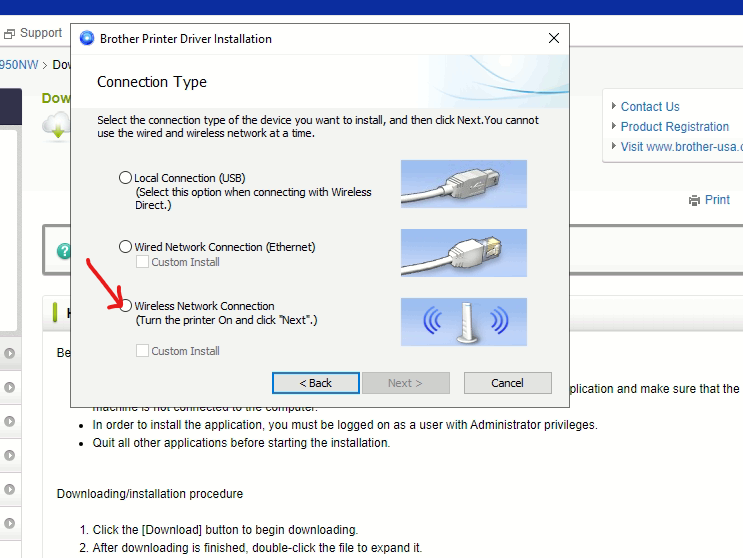
- Select the mac address starting with "90" then hit next then finish
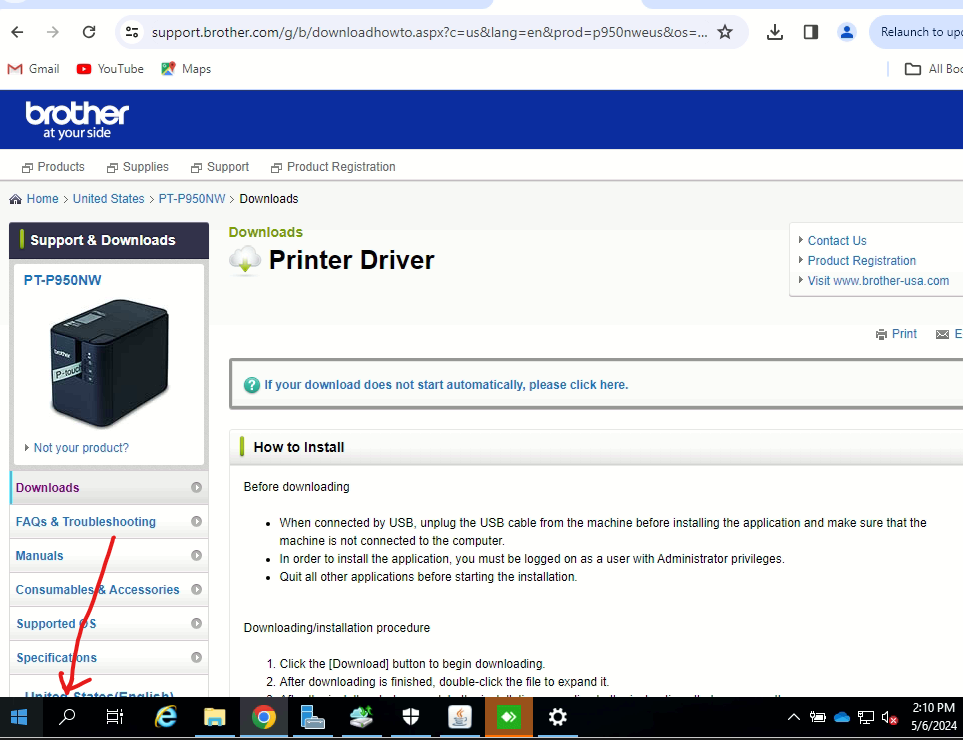
- Hit the eyeglass and search for printers selecting printers & scanners
- Select add printer or scanner wait for loading to finish
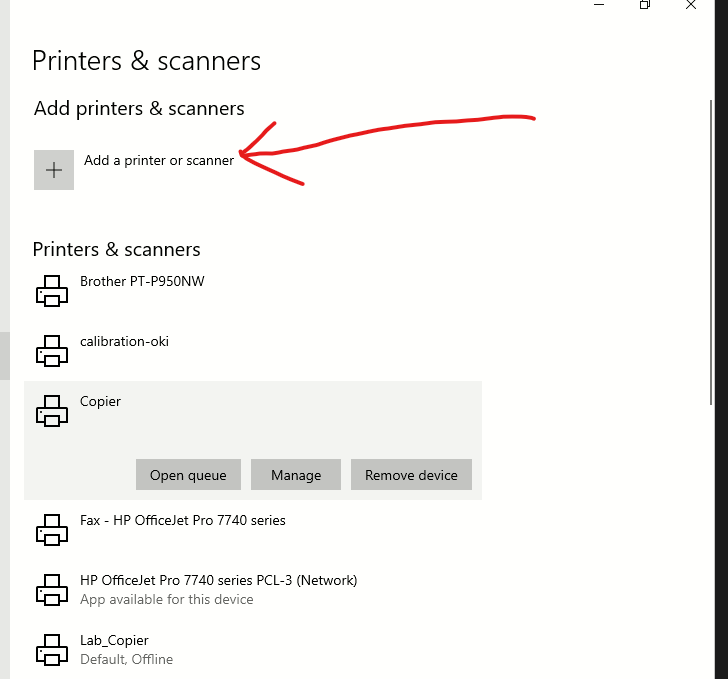 Add this printer
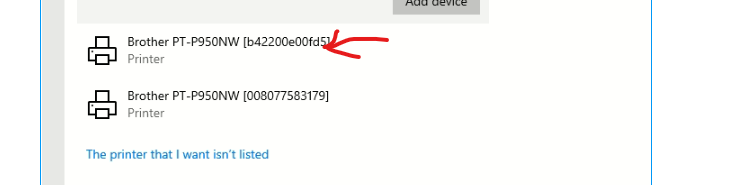
Do the following after the printer has been added
- Hit backspace on settings
- Go back into printers and scanners
- Select Brother pt-950nw printer then select manage
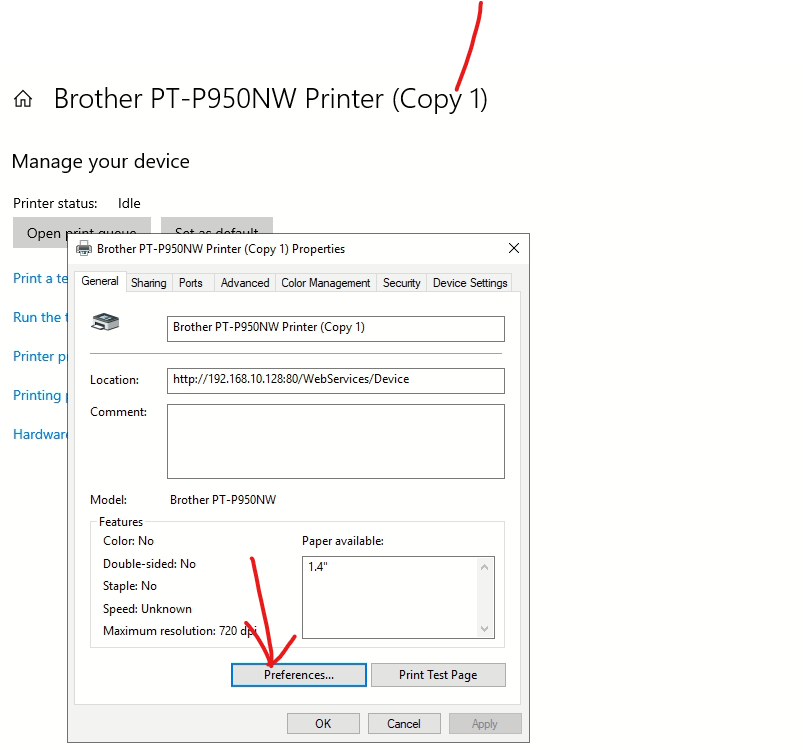
- Select printer properties
- Select preferences
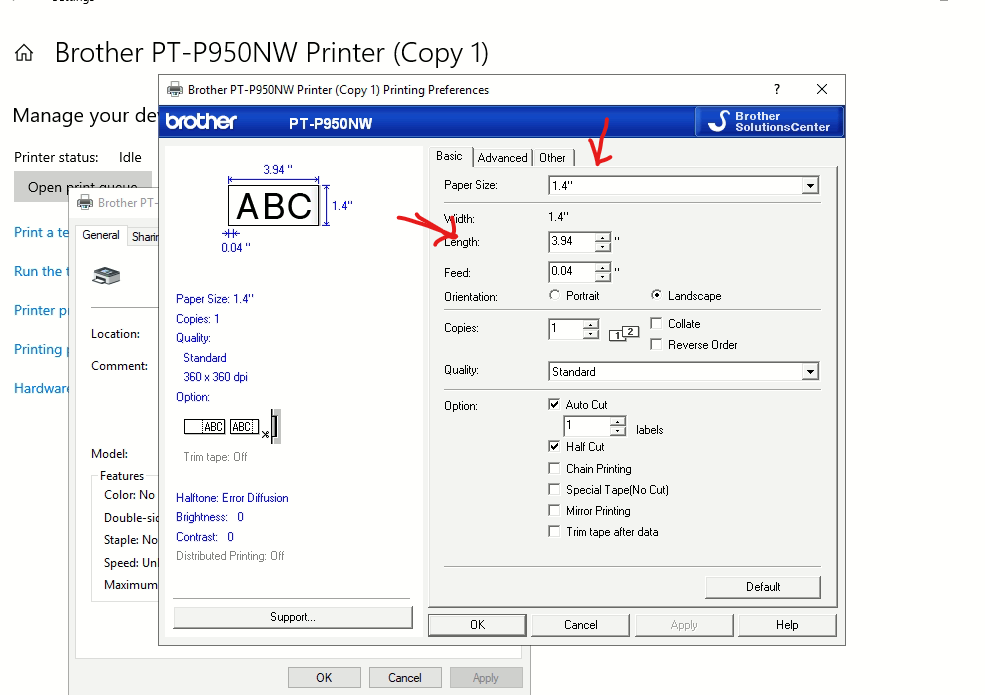
Change paper size to .7 and length to 1.8 then hit apply
Was this article helpful?
That’s Great!
Thank you for your feedback
Sorry! We couldn't be helpful
Thank you for your feedback
Feedback sent
We appreciate your effort and will try to fix the article