If MTI Calibration software refuses to start up, giving errors about missing DLLs or error 0xc000007b, install the x86 version of Microsoft's c++ 2010 redistributable. If it continues to give issues, uninstall and reinstall the x86 2010 c++ redistributable.
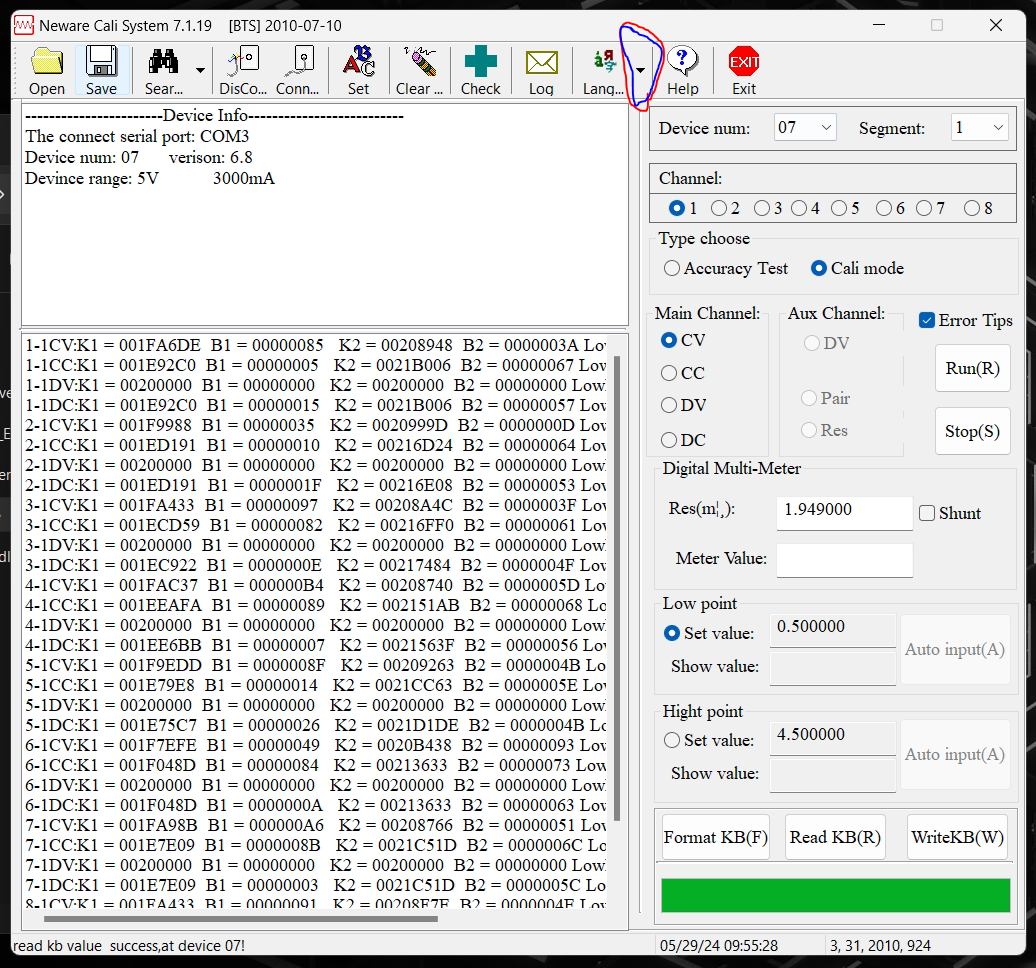
If the text is jumbled and / or in Chinese, you need to change the language settings. You can do that by clicking the black triangle circled in the image below, selecting English, and then closing and reopening the program.
Was this article helpful?
That’s Great!
Thank you for your feedback
Sorry! We couldn't be helpful
Thank you for your feedback
Feedback sent
We appreciate your effort and will try to fix the article